
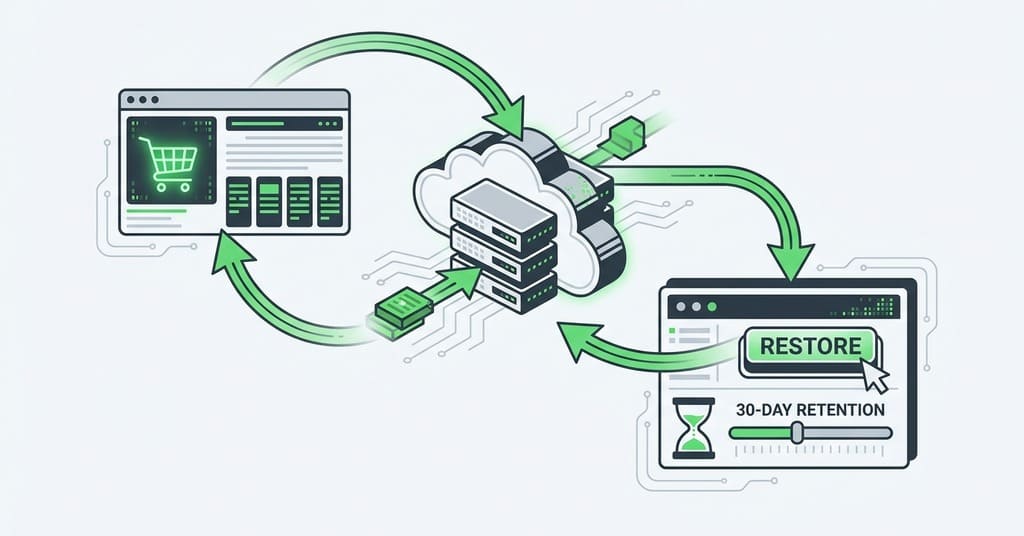
3 Best Web Hosting Companies in Kenya for Backup Options
Your website is too valuable to leave unprotected! From accidental deletions and failed updates to unexpected server problems, having reliable backups can save you time, money, and countless headaches. Explore these 3 best web hosting companies in Kenya for backup options and discover hosting packages that help safeguard your website files, databases, and valuable digital assets. Choose a hosting partner that gives you greater peace of mind and makes website recovery easier when things go wrong!


Web Space starting at 35GB NVMe SSD to Unlimited ✓ Free Domain Registration (.co.ke or .com) ✓ Unlimited Bandwidth, Websites & Email Accounts ✓ Free Let’s Encrypt SSL Certificate ✓ 99.99% Uptime Guarantee ✓ Live online chat available ✓ 24/7 Client Support ✓ Web Space starting at 35GB NVMe SSD to Unlimited ✓ Free Domain Registration (.co.ke or .com) ✓ Unlimited Bandwidth, Websites & Email Accounts ✓


Web Space starting at 35GB NVMe SSD to Unlimited ✓ Free Domain Registration (.co.ke or .com) ✓ Unlimited Bandwidth, Websites & Email Accounts ✓ Free Let’s Encrypt SSL Certificate ✓ 99.99% Uptime Guarantee ✓ Live online chat available ✓ 24/7 Client Support ✓ Web Space starting at 35GB NVMe SSD to Unlimited ✓ Free Domain Registration (.co.ke or .com) ✓ Unlimited Bandwidth, Websites & Email Accounts ✓


Web Space starting at 35GB NVMe SSD to Unlimited ✓ Free Domain Registration (.co.ke or .com) ✓ Unlimited Bandwidth, Websites & Email Accounts ✓ Free Let’s Encrypt SSL Certificate ✓ 99.99% Uptime Guarantee ✓ Live online chat available ✓ 24/7 Client Support ✓ Web Space starting at 35GB NVMe SSD to Unlimited ✓ Free Domain Registration (.co.ke or .com) ✓ Unlimited Bandwidth, Websites & Email Accounts ✓
Why Backup Options Matter When Choosing a Web Hosting Service in Kenya
Imagine spending months building your website, publishing valuable content, attracting customers, and growing your online business, only to lose everything because of a server failure, hacking incident, accidental deletion, or failed website update. Scary, right? This is precisely why backup should never be an afterthought when choosing a web hosting service.
Your website is a valuable digital asset. It may contain business information, customer records, product listings, blog articles, databases, emails, and other important files. Without reliable backups, recovering from unexpected data loss can be difficult, expensive, or even impossible.
When comparing web hosting companies in Kenya, don’t just focus on storage space, bandwidth, and attractive introductory prices. Pay close attention to the backup options included in each hosting package. A good backup system gives you a safety net, protects your hard work, and makes it easier to restore your website when something goes wrong.
Whether you’re running a personal blog, a business website, an online store, or managing multiple client websites, choosing a hosting provider with dependable backup options is one of the smartest decisions you can make.
💾 What Is a Backup in Web Hosting?
A backup in web hosting is a separate copy of your website’s important data, stored so that it can be recovered if the original information is lost, damaged, corrupted, or accidentally deleted.
Website backups typically include:
Website files, including themes, plugins, images, scripts, and documents.
Databases containing website content, user information, settings, and other records.
Configuration files and important website settings.
Email data, where email backups are supported.
Other application-related files and information.
For example, imagine updating your WordPress website only to discover that the new plugin has broken your homepage. If you have a recent backup, you may be able to restore an earlier working version instead of rebuilding the website from scratch.
Similarly, if your website is compromised by malware or you accidentally delete important files, a clean backup can help you recover your online presence.
In simple terms, a backup is an insurance policy for your website’s data. It helps protect your investment against unexpected digital disasters.
🛡️ Why Are Website Backups Important?
Website problems can happen even when you have a good hosting provider and follow proper website management practices.
A backup provides an additional layer of protection against situations that could otherwise cause significant disruption.
Here are some common reasons why website backups matter:
Server failures: Hardware problems or unexpected server incidents can result in data loss.
Cyberattacks: Malware, hacking, and ransomware incidents can damage or compromise website files.
Human errors: Accidental deletion or incorrect configuration changes can break important website functionality.
Failed updates: Updates to WordPress, themes, plugins, or applications can sometimes cause compatibility problems.
Database corruption: Database errors can make website content inaccessible or compromise important information.
Website migration problems: Moving websites between hosting providers can sometimes result in missing files or incomplete data transfers.
Unexpected changes: A developer or administrator may accidentally overwrite important website content or configurations.
With a reliable backup system, you have a recovery option when these situations occur.
🔍 Essential Backup Options to Look for in a Kenyan Web Host
Not all web hosting companies offer the same backup features. Some include automatic daily backups, while others provide weekly backups, manual backup tools, or paid restoration services.
Before choosing a hosting package, consider the following backup features.
1. Automatic Website Backups
Automatic backups are among the most valuable features to look for in a web hosting service.
Instead of relying on you to remember to create backup copies manually, the hosting provider automatically saves your website data at scheduled intervals.
This is particularly useful for busy website owners who regularly publish content, update products, receive orders, or make website changes.
Look for:
Automated backup scheduling.
Clear information about backup frequency.
Automatic coverage of website files and databases.
Easy access to backup copies.
Clearly stated backup retention periods.
Automatic backups reduce the risk of losing important information simply because you forgot to create a backup.
2. Daily Backup Availability
How frequently your website is backed up determines how much recent data you could potentially lose following an incident.
For example, if your hosting provider creates backups once every seven days, changes made after the latest backup may not be included in your recovery copy.
Daily backups can provide better protection for websites that change frequently.
They are particularly useful for:
Online stores processing customer orders.
Business websites receiving enquiries and form submissions.
Blogs publishing articles regularly.
Membership websites with frequently updated user information.
News and media platforms.
Check whether daily backups are included in the hosting package or offered as a paid add-on.
Also establish whether the provider guarantees daily completion or simply schedules backup jobs daily.
3. Multiple Backup Restore Points
Having only one backup copy may not be sufficient.
Imagine discovering that your website was compromised three days ago, but you only notice the problem today. If your hosting provider keeps just the latest backup, that copy might already contain the compromised files.
Multiple restore points allow you to choose from different backup dates.
For example, a provider may retain:
The latest daily backup.
Backups from previous days.
Weekly backup copies.
Monthly backup archives.
This gives you more flexibility when choosing a clean version of your website to restore.
Look for hosting companies that clearly state how many backup copies they retain and how long those copies remain available.
4. Easy Website Restoration
Creating backups is important, but being able to restore them when needed is equally essential.
A good hosting provider should make the restoration process straightforward, especially for customers who may not have advanced technical skills.
Look for:
One-click website restoration where available.
Easy access to previous backup copies.
File-level restoration options.
Database restoration capabilities.
Clear restoration instructions.
Technical support when restoration assistance is needed.
Some providers allow customers to restore their websites directly through a hosting control panel, while others require a support request.
Before purchasing, establish whether restoration is included in the package or attracts additional charges.
5. Offsite Backup Storage
Where your backup copies are stored matters just as much as how frequently they are created.
Ideally, backups should be stored separately from the primary website hosting environment.
This is known as offsite backup storage.
For example, if a major incident affects the server hosting your website, backups stored independently may remain available for recovery.
Look for providers that:
Store backups separately from the primary hosting environment.
Use independent backup infrastructure.
Protect backup copies against unauthorized access.
Provide clear information about backup storage and retention.
Have documented recovery procedures.
Offsite backups provide an additional layer of protection against incidents that could affect both your website and its primary server.
6. Full Website and Database Backups
Your website is made up of more than just files.
For dynamic websites, databases contain important information such as articles, customer accounts, orders, product details, comments, and website settings.
A backup that only covers website files may leave you without essential information needed to restore the website completely.
Look for hosting providers that back up both:
Website files and directories.
MySQL or MariaDB databases, where applicable.
Application configuration files.
Other important website components.
For WordPress users, both the WordPress files and database are important for a complete recovery.
7. Email Backup Options
Professional email accounts are an important part of many business hosting packages.
You may use your domain-based email accounts to communicate with customers, suppliers, employees, and business partners.
Losing important email messages can be just as frustrating as losing website files.
If your hosting package includes professional email accounts, establish whether the backup service also covers email data.
Look for:
Email account backup coverage.
Mailbox restoration options.
Email storage retention policies.
Clear separation between website and email backups.
Assistance with restoring lost email data.
Do not assume that website backups automatically include emails. Ask your hosting provider to clarify exactly what is covered.
8. Manual Backup and Download Options
Automatic backups are convenient, but manual backup capabilities offer additional flexibility.
They allow you to create your own backup copy whenever you need one.
For example, before installing a major WordPress update, changing your website theme, or modifying important database settings, you can create a fresh backup.
Look for:
Manual backup creation.
Full account backup downloads.
Individual website file downloads.
Database export options.
Backup compatibility with common restoration tools.
Being able to download your own backup also makes it easier to maintain independent copies outside your hosting account.
9. Backup Retention Period
Backup retention refers to how long your hosting provider keeps backup copies before deleting or replacing them.
Some providers retain backups for a few days, while others offer longer retention periods depending on the hosting package.
A longer retention period can be beneficial because you may not immediately notice that something has gone wrong with your website.
Look for:
Clearly stated retention periods.
Multiple historical restore points.
Options for extended backup retention.
Transparent backup deletion policies.
Availability of older backup copies when needed.
For example, if a provider retains seven daily backups, you may have access to versions from the previous seven days, subject to its backup schedule and policies.
10. Backup Security and Encryption
Your website backups may contain sensitive business information, customer records, account details, and other important data.
Protecting these copies against unauthorized access is therefore essential.
Look for providers that implement appropriate backup security measures, including:
Secure backup storage.
Access controls and authentication.
Encryption during data transfer.
Encryption at rest where supported.
Protection against unauthorized modification or deletion.
For websites handling customer information or business-sensitive records, secure backup management should be a priority.
11. Backup Restoration Support
Restoring a website isn’t always as simple as clicking a button.
You may encounter database errors, missing files, corrupted backups, or compatibility problems during recovery.
A hosting provider with knowledgeable technical support can make the restoration process much easier.
Look for:
Technical assistance with website restoration.
Clear backup recovery procedures.
Support for database restoration.
Help recovering website files.
Transparent restoration fees and limitations.
Guidance following malware incidents or accidental data loss.
Find out whether restoration assistance is included in your hosting package or offered as a separate paid service.
12. Backup Frequency and Customization
Different websites have different backup requirements.
A personal blog publishing one article every week may not need the same backup frequency as an online store processing orders throughout the day.
Some hosting providers allow customers to choose their preferred backup schedules, while others use fixed automatic schedules.
Look for:
Daily, weekly, or other scheduled backup options.
Customizable backup schedules where available.
On-demand backups.
Flexible retention settings.
Additional backup services for critical websites.
The ability to customize backups can be particularly useful for developers, agencies, and businesses managing multiple websites.
⚖️ Daily vs Weekly vs Monthly Backups: Which Is Best?
Backup frequency determines how often copies of your website data are created.
The right schedule depends on how frequently your website changes and how much recent data you can afford to lose.
| Backup Frequency | Best Suited For | Main Advantage |
|---|---|---|
| Daily | Online stores, business websites, active blogs | Protects against losing several days of changes |
| Weekly | Small business websites and less frequently updated sites | Provides regular recovery points |
| Monthly | Static websites with very few changes | Offers occasional recovery copies |
| On-Demand | Before major updates or important changes | Provides an additional recovery point when needed |
My recommendation: Daily backups are a strong starting point for most active business websites, blogs, and online stores. For websites handling frequent transactions or important customer data, consider more frequent backups and additional independent backup arrangements.
Remember that backup frequency alone does not guarantee data protection. Retention, storage location, restoration reliability, and backup coverage matter too.
🇰🇪 What Kenyan Website Owners Should Consider When Choosing Backup Options
When comparing web hosting companies in Kenya, consider the nature of your website, the importance of its data, and the potential cost of losing information.
Here are some practical considerations:
Backup inclusion: Confirm whether automatic backups are included in the hosting package or require an additional subscription.
Backup frequency: Establish whether the provider offers daily, weekly, or less frequent backups.
Retention period: Find out how long backup copies are retained.
Restoration charges: Check whether restoring your website is free or attracts additional fees.
Data coverage: Confirm whether backups include website files, databases, and email accounts.
Offsite storage: Establish whether backup copies are stored independently of your primary hosting server.
Local and international compliance: If your website handles personal information, consider applicable data protection requirements and where backup data is stored.
Technical support: Choose a provider that can assist when you need to recover your website.
Independent backups: Consider maintaining your own backup copies outside the hosting provider’s infrastructure.
For Kenyan businesses, online stores, digital publishers, and organizations, these considerations can help protect valuable website data and reduce the financial impact of unexpected disruptions.
📊 Website Backup Comparison Checklist
Use this checklist when evaluating different web hosting companies in Kenya.
| Backup Feature | What to Look For |
|---|---|
| Automatic Backups | Scheduled automatic backup creation |
| Daily Backups | Daily backup availability |
| Restore Points | Multiple historical backup copies |
| Restoration | Easy website recovery |
| Offsite Storage | Independent backup storage |
| Website Files | Complete file backup coverage |
| Databases | Database backup and restoration |
| Email Backups | Email data protection where needed |
| Manual Backups | On-demand backup creation |
| Download Options | Ability to download backup copies |
| Retention | Clearly stated storage duration |
| Security | Secure backup storage and access |
| Restoration Support | Technical recovery assistance |
| Pricing | Transparent backup and restoration charges |
🔄 Hosting Backups vs Independent Website Backups: Do You Need Both?
Yes! Although your hosting provider may offer automatic backups, maintaining independent website backups is an additional safeguard worth considering.
Hosting backups are convenient because they are often integrated into your hosting account. However, relying entirely on one provider creates a potential single point of failure.
For example, if your hosting account is suspended, compromised, or affected by a serious infrastructure incident, accessing the provider’s backup copies could become difficult.
Independent backups give you another recovery option.
Consider following the 3-2-1 backup strategy:
3 copies of your data: Keep your original website data and at least two backup copies.
2 different storage locations or media: Avoid relying on just one storage environment.
1 offsite copy: Keep at least one backup copy separate from your primary hosting environment.
For example, you could maintain your live website on your hosting account, use the provider’s automatic backups, and periodically save another copy to an independent cloud storage service or secure offline location.
For business-critical websites, this approach offers stronger protection against data loss.
🚀 Why Reliable Backup Options Give Your Website an Advantage
Having dependable backup options provides several important benefits:
Protection against data loss: You have recovery copies when website files or databases are accidentally deleted or damaged.
Faster website recovery: Restoring a previous version can be much easier than rebuilding a website from scratch.
Peace of mind: You can make website updates with greater confidence when reliable recovery options are available.
Business continuity: Backups help minimize disruption following unexpected website problems.
Protection against failed updates: You can recover an earlier working version if a plugin, theme, or software update causes problems.
Better security recovery: Clean backup copies can assist in recovering from certain malware and hacking incidents.
Long-term value: Protecting your website content, business information, and development work helps safeguard your investment.
❓ Frequently Asked Questions About Backup in Web Hosting
Why is backup important when choosing a web hosting company?
Backup is important because it protects your website files, databases, and other valuable information against accidental deletion, server failures, hacking, and other unexpected incidents. It also makes website recovery easier when something goes wrong.
How often should my website be backed up?
Daily backups are a good starting point for most active websites. Online stores and platforms that frequently process transactions may require more frequent backups. Less frequently updated websites may be comfortable with weekly backups, depending on their recovery requirements.
Do all Kenyan web hosting companies offer free backups?
No. Backup services vary between hosting providers and packages. Some include automatic backups at no additional cost, while others offer them as paid add-ons or provide limited backup functionality. Always check the package specifications and backup policy before purchasing.
What is the difference between website backup and website restoration?
Website backup involves creating and storing copies of your website data. Website restoration involves using those copies to recover your website after data loss, corruption, or other problems.
Does cPanel offer website backup tools?
Yes. cPanel includes backup-related features that allow users to create and download backup copies, depending on the hosting provider’s configuration. Some providers also integrate additional backup and restoration tools into their control panels.
Are automatic website backups enough?
Automatic backups provide valuable protection, but they should not be your only recovery strategy. Consider keeping independent backup copies, especially if your website handles important business information, customer records, or online transactions.
What is offsite backup storage?
Offsite backup storage refers to keeping backup copies in a separate storage environment from the primary website hosting server. This helps protect recovery copies if the primary hosting infrastructure experiences a serious incident.
Does website backup include emails?
Not necessarily. Some hosting providers include email data in their account backups, while others back up website files and databases only. Confirm the provider’s coverage if your business depends on professional domain-based email accounts.
🏆 Final Thoughts: Never Risk Losing What You’ve Worked Hard to Build
Your website represents time, money, creativity, and hard work. Whether it contains years of blog articles, business information, customer records, or an entire online store, losing that data can be devastating.
That’s why backup should be one of your priorities when choosing a web hosting service in Kenya.
Look beyond the advertised hosting price and investigate the actual backup features included in each package. Pay attention to automatic backups, backup frequency, retention periods, offsite storage, restoration options, and technical assistance.
A hosting provider that takes backup seriously gives you an important safety net when unexpected problems occur.
Don’t just choose a web host that keeps your website online. Choose one that helps protect everything you’ve built.