
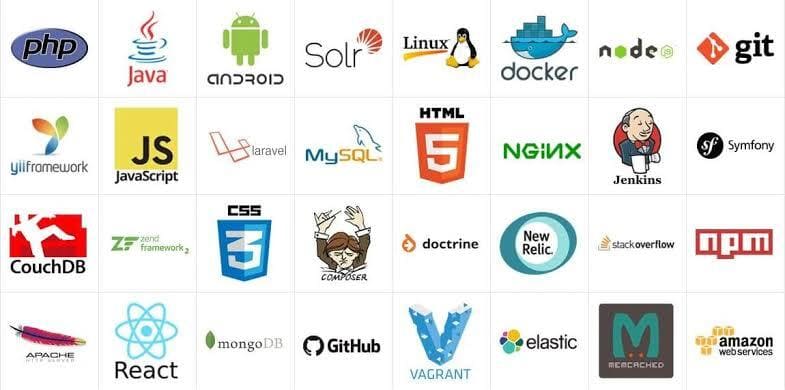
3 Best Web Hosting Companies in Kenya for Developer Tools
Looking for a hosting environment that gives you more control, flexibility, and freedom to build? Don’t settle for basic hosting! Explore these 3 best web hosting companies in Kenya for developer tools and discover hosting packages equipped with the technical capabilities you need to develop, customize, and manage websites like a pro. Whether you’re a freelancer, agency, or experienced developer, find a hosting partner that keeps your creativity and productivity moving forward.


Web Space starting at 35GB NVMe SSD to Unlimited ✓ Free Domain Registration (.co.ke or .com) ✓ Unlimited Bandwidth, Websites & Email Accounts ✓ Free Let’s Encrypt SSL Certificate ✓ 99.99% Uptime Guarantee ✓ Live online chat available ✓ 24/7 Client Support ✓ Web Space starting at 35GB NVMe SSD to Unlimited ✓ Free Domain Registration (.co.ke or .com) ✓ Unlimited Bandwidth, Websites & Email Accounts ✓


Web Space starting at 35GB NVMe SSD to Unlimited ✓ Free Domain Registration (.co.ke or .com) ✓ Unlimited Bandwidth, Websites & Email Accounts ✓ Free Let’s Encrypt SSL Certificate ✓ 99.99% Uptime Guarantee ✓ Live online chat available ✓ 24/7 Client Support ✓ Web Space starting at 35GB NVMe SSD to Unlimited ✓ Free Domain Registration (.co.ke or .com) ✓ Unlimited Bandwidth, Websites & Email Accounts ✓


Web Space starting at 35GB NVMe SSD to Unlimited ✓ Free Domain Registration (.co.ke or .com) ✓ Unlimited Bandwidth, Websites & Email Accounts ✓ Free Let’s Encrypt SSL Certificate ✓ 99.99% Uptime Guarantee ✓ Live online chat available ✓ 24/7 Client Support ✓ Web Space starting at 35GB NVMe SSD to Unlimited ✓ Free Domain Registration (.co.ke or .com) ✓ Unlimited Bandwidth, Websites & Email Accounts ✓
Why Developer Tools Matter When Choosing a Web Hosting Service in Kenya
When comparing web hosting services in Kenya, don’t just look at prices, storage, and bandwidth. Pay attention to the development environment and technical features offered. The right developer tools can save time, simplify website management, improve productivity, and give you greater control over your online projects.
🛠️ What Are Developer Tools in Web Hosting?
Developer tools are the technical features, software, utilities, and server-management capabilities that a web hosting provider makes available to help developers build, test, deploy, maintain, and manage websites and applications.
These tools make it easier to work with different programming languages, databases, content management systems, development frameworks, and server configurations.
For example, a developer building a PHP website may need a specific PHP version, database access, and SSH connectivity. Someone managing a WordPress website may benefit from staging environments, Git integration, and WP-CLI.
Without the right developer tools, even relatively simple technical tasks can become unnecessarily complicated.
In short, good developer tools give you more flexibility, efficiency, and control over your hosting environment.
💻 Essential Developer Tools to Look for in a Kenyan Web Host
Not all hosting providers offer the same development capabilities. If you’re looking for a hosting service that supports serious website development, here are some important developer tools and features to consider.
1. Multiple PHP Versions
PHP powers a significant number of websites, including WordPress, Joomla, Drupal, and many custom-built applications.
A good hosting provider should allow you to select or switch between supported PHP versions, preferably through an easy-to-use control panel.
This is important because different websites, plugins, themes, and applications may require different PHP versions. Having this flexibility helps you maintain compatibility, improve performance, and test applications before upgrading.
Look for:
Support for multiple maintained PHP versions.
Easy PHP version switching.
PHP extension management.
Custom PHP configuration options where available.
2. SSH Access
Secure Shell (SSH) allows you to securely access your hosting account through a command-line interface.
Instead of relying entirely on graphical control panels, developers can use SSH to execute commands, manage files, troubleshoot applications, run scripts, and perform other technical tasks.
SSH access is particularly useful for developers managing multiple websites, working with frameworks, or automating routine tasks.
Look for hosting providers that offer secure SSH access, preferably with appropriate authentication controls and command-line capabilities.
3. Git Integration
Git is one of the most widely used version control systems in modern software development. It allows developers to track changes, manage code versions, collaborate with other developers, and roll back unwanted modifications.
Some hosting providers offer Git integration, allowing you to connect repositories and deploy website updates more efficiently.
This is especially valuable for web development agencies, freelancers, and teams managing custom websites.
Look for:
Git support through SSH or the hosting control panel.
Repository management.
Git-based deployment options.
Compatibility with popular repository platforms such as GitHub and GitLab.
4. Staging Environments
A staging environment is a separate testing version of your website where you can experiment with updates before making changes to your live site.
For example, before installing a major WordPress update, changing your website theme, or introducing new functionality, you can test everything in staging.
This reduces the risk of breaking your live website and helps ensure that updates work as expected.
Look for hosting providers that offer:
One-click staging environments.
Easy staging-to-live deployment.
Website cloning.
Database and file synchronization options.
5. Database Management Tools
Most dynamic websites depend on databases to store information such as user accounts, website content, product details, orders, and other application data.
A good hosting service should provide convenient database management tools.
Common tools include phpMyAdmin and database management interfaces that allow developers to create databases, manage users, import or export data, and execute SQL queries.
Look for:
MySQL or MariaDB support.
phpMyAdmin or an equivalent management tool.
Database creation and user management.
Database import and export functionality.
Adequate database resource limits.
6. WP-CLI and CMS Management Tools
For developers working with WordPress, WP-CLI is an extremely useful command-line tool.
It allows you to manage WordPress installations without having to navigate through the WordPress dashboard for every task.
You can use WP-CLI to update plugins, install themes, manage users, perform database operations, and execute other administrative commands.
If your hosting projects involve WordPress or other content management systems, look for hosts that provide useful CMS management tools and command-line compatibility.
7. Multiple Programming Language Support
Different websites and applications are built using different programming languages and development environments.
While PHP is common in shared hosting, developers may also need support for Python, Node.js, Ruby, Perl, or other technologies.
Before choosing a hosting provider, establish whether it supports the programming languages and application environments required by your projects.
Look for:
Support for relevant programming languages.
Ability to configure supported runtime versions.
Application deployment options.
Necessary dependencies and package management capabilities.
Keep in mind that language support varies considerably between shared hosting, VPS hosting, and dedicated servers.
8. Cron Jobs and Task Scheduling
Cron jobs allow developers to automate repetitive tasks by scheduling commands or scripts to run at specific times or intervals.
For example, you can schedule database backups, automate data processing, run maintenance scripts, or execute periodic application tasks.
This reduces manual work and makes website management more efficient.
Look for hosting packages that allow you to configure cron jobs, specify execution schedules, and manage the commands or scripts being executed.
9. Composer and Package Management
Modern development often involves using external libraries, frameworks, and software packages rather than building everything from scratch.
Composer, for example, is a dependency management tool widely used in PHP development. It makes it easier to install, update, and manage the libraries required by an application.
Other development environments may require tools such as npm for JavaScript projects.
If you build custom applications, check whether your hosting environment supports the package managers and dependencies your workflow requires.
10. API and Advanced Server Configuration
Developers building custom applications, integrations, and web-based services may need access to APIs and advanced server configuration features.
Depending on the hosting environment, useful capabilities may include configurable environment variables, application settings, custom rewrite rules, and control over selected server parameters.
These features make it easier to connect applications to external services, customize application behaviour, and manage more complex development projects.
However, the level of control depends on the hosting package. Shared hosting typically offers fewer configuration options than VPS and dedicated hosting.
11. Error Logs and Debugging Tools
Website errors can be frustrating, particularly when you’re working on a custom application or troubleshooting a broken website.
Error logs help developers identify problems such as PHP errors, failed database connections, server issues, and application configuration problems.
A hosting provider that offers accessible error logs and useful debugging information can significantly simplify troubleshooting.
Look for:
PHP error logs.
Web server access and error logs.
Application log access where supported.
Tools for monitoring website errors and resource usage.
12. Control Panel and File Management Tools
A good hosting control panel makes everyday development and website administration easier.
Popular control panels such as cPanel and DirectAdmin provide graphical interfaces for managing files, databases, domains, email accounts, backups, and other hosting features.
For developers who prefer working through a graphical interface, a well-equipped control panel can save considerable time.
Look for an intuitive interface with a reliable file manager, FTP/SFTP access where supported, database management, domain configuration, and other useful administrative features.
🔍 Shared Hosting vs VPS Hosting: Which Is Better for Developer Tools?
The hosting environment you choose determines the level of development flexibility and control available to you.
Shared hosting is generally suitable for standard websites, blogs, WordPress installations, and smaller development projects. VPS hosting offers greater control over server configurations and is often better suited to developers building custom applications or requiring specialized environments.
Here’s a quick comparison:
| Developer Feature | Shared Hosting | VPS Hosting |
|---|---|---|
| Multiple PHP versions | Often available | Usually configurable |
| SSH access | Depends on provider/package | Generally available |
| Git support | Varies | Generally available |
| Staging environments | Depends on provider | Can be configured |
| Database management | Usually available | Available with configuration |
| Cron jobs | Often available | Available |
| Custom server configurations | Limited | Greater flexibility |
| Node.js/Python applications | Depends on provider | Generally more flexible |
| Root access | Usually unavailable | Generally available with suitable VPS plans |
The best choice depends on your technical requirements, budget, and the complexity of your projects. You don’t necessarily need a VPS just because you’re a developer. A feature-rich shared hosting package may provide everything you need for many websites.
🇰🇪 What Kenyan Developers Should Consider When Choosing a Hosting Provider
When evaluating web hosting companies in Kenya, don’t assume that every provider offers the same development environment.
Before purchasing a package, consider the following:
Technical compatibility: Confirm that the host supports the programming languages, frameworks, CMS platforms, and database technologies you intend to use.
Control and flexibility: Establish whether you have SSH access, Git support, cron jobs, and the ability to configure essential application settings.
Resource limitations: Check CPU, RAM, storage, database, and process limits, particularly if you’re developing resource-intensive applications.
Technical support: Choose a provider with knowledgeable support staff who can assist with hosting-related technical issues.
Scalability: Consider whether you can upgrade to VPS or more advanced hosting as your development projects become more demanding.
Security: Look for secure access methods, account isolation, SSL support, regular backups, and appropriate server security measures.
Value for money: Compare the development features included in each package rather than choosing a provider based solely on its advertised price.
For Kenyan freelancers, agencies, startups, and businesses, these considerations can help identify a hosting environment that supports both current projects and future development needs.
⚡ Why Good Developer Tools Give You a Competitive Advantage
Having the right developer tools is not simply about convenience. It can directly influence how efficiently you build and manage websites.
Here are some of the biggest advantages:
Faster development: Command-line tools, Git integration, and package managers help simplify repetitive development tasks.
Greater flexibility: Multiple programming languages, PHP versions, and server configuration options give you more freedom.
Safer updates: Staging environments allow you to test changes before deploying them to live websites.
Easier troubleshooting: Error logs and debugging tools help identify and resolve technical problems.
Better collaboration: Version control and deployment tools make it easier for development teams to work together.
Reduced operational costs: Efficient tools can minimize manual work and reduce the time spent managing websites.
Room for growth: Flexible hosting environments make it easier to accommodate more complex applications as your projects expand.
❓ Frequently Asked Questions About Developer Tools in Web Hosting
What are the most important developer tools in web hosting?
Some of the most useful developer tools include SSH access, Git integration, multiple PHP versions, staging environments, database management tools, cron jobs, WP-CLI, Composer, and error logs. The best combination depends on your development environment and project requirements.
Do I need developer tools for WordPress hosting?
Yes, developer tools can make WordPress management much easier, particularly if you customize themes, develop plugins, manage multiple websites, or maintain client projects. Tools such as staging environments, WP-CLI, SSH, Git, and database management interfaces are especially useful.
Is cPanel good for web developers?
Yes. cPanel provides several useful website management and development features, including file management, database tools, PHP configuration, cron jobs, and other administrative utilities. However, advanced developers may also require SSH access and additional server-level capabilities.
Is shared hosting suitable for developers?
Yes. Shared hosting can be suitable for freelancers, beginners, WordPress developers, and smaller projects, provided the package includes the required technical features. For applications requiring greater server control, dedicated resources, or specialized configurations, VPS hosting may be more appropriate.
Does every Kenyan web hosting company offer developer tools?
No. Developer tools and technical capabilities vary between hosting providers and packages. Some offer extensive development features even on shared hosting, while others restrict access to certain tools. Always confirm the availability of specific features before purchasing.
Can I build custom applications on shared hosting?
Yes, provided the hosting environment supports the programming language, framework, dependencies, and resources required by your application. However, applications requiring custom server configurations, root access, or substantial computing resources may need VPS or dedicated hosting.
🎯 Final Thoughts: Choose a Host That Works as Hard as You Do
The best web hosting service should do more than keep your website online. It should give you the tools and flexibility to build, customize, troubleshoot, and manage your projects efficiently.
Whether you’re developing WordPress websites, building custom applications, managing client projects, or experimenting with new technologies, developer tools can make your work significantly easier.
When comparing web hosting companies in Kenya, look beyond the basic hosting specifications. Evaluate the development environment, technical capabilities, support, and flexibility included in each package.
Choose a hosting provider that empowers you to build without unnecessary limitations.